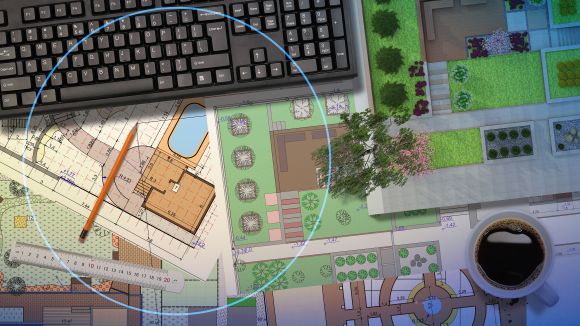
How do we build the world around us? Go back to 1889, and the process looks pretty different from what it is today. Iconic buildings like the Eiffel Tower may have started as a simple sketch, but turning it into the 1,083-foot monument that 7 million people visit and marvel at each year required over 5,000 blueprints and the manual design and calculation of 18,000 unique pieces. Without access to modern technology, engineers had to do all their drawings and calculations by hand. One can imagine how difficult it was to understand how buildings, systems and products would perform in the real world, a tedious process that often yielded inaccurate results.

Over the last 70 years, industries have undergone radical change with the introduction of computer-aided design (CAD) and computer-aided engineering (CAE) tools.
CAD and CAE have revolutionized the speed and precision with which engineers and designers work together to create and analyze drawings and models before production. From creating precise 3D models to analyzing and validating designs with simulation prior to manufacturing, today’s most innovative cars, airplanes and advanced medical equipment all rely on the capabilities of CAD and CAE tools. Today and into the future, CAD and CAE are expected to play a key role in driving sustainable innovation by enabling designers to create eco-friendly products that reduce waste and enhance energy efficiency, from the start.
Maybe you’ve heard of CAD. Maybe you’ve heard of CAE. But could you explain the difference between these two design techniques? Do you understand how CAD and CAE can be used in coordination with one another? Essential for anyone involved in engineering or design or who wishes to innovate in their respective field, this blog will break down the unique characteristics of both processes, discuss the benefits of CAD and CAE solutions and explore frequently asked questions.
What is Computer-Aided Design (CAD)? Meaning and definition
CAD is a design process that uses software or tools to create, analyze and optimize technical drawings, 2D/3D models and detailed representations of systems prior to production. Often used by engineers or designers, it replaces manual drafting and complex calculations, enables rapid concept development and improves design accuracy.
What is Computer-Aided Engineering (CAE)? Meaning and definition
CAE is a design and engineering process that uses advanced software or tools to simulate the real-world performance of products before manufacturing. It enables engineers to predict product behavior under different conditions and to validate designs virtually before physical prototypes are created, reducing development time and costs.
What is the difference between CAD and CAE?
CAD is used to create 2D/3D product models, and CAE is used to simulate and test them before production. CAD and CAE are both design methods that use software or tools for product design and modeling, and they are often used in coordination with each other.
CAD vs CAE software: How do they differ?
Even though CAD and CAE software are often used together, there are instances when your workflow may call for one tool over the other. Let’s break down the unique capabilities and benefits of CAD and CAE software.
CAD software
Capabilities of CAD software include:
- 2D/3D modeling
- Technical drawings
- Model-Based Definition (MBD)
- Building Information Modeling (BIM)
Benefits of CAD software include:
- Easy understanding of the shape and properties of an object designed in 3D
- Rapid concept development and visualization
- Design changes can be made easily
- Improved accuracy and precision
Learn more about CAD software.
CAE software
Capabilities of CAE tools include:
- Finite element analysis (FEA)
- Computational fluid dynamics (CFD)
- Multi-disciplinary design optimization (MDO)
Benefits of using CAE tools include:
- Fewer physical prototypes needed
- Reduced potential for errors
- Visibility into how changes to product design affect performance
- Reduced costs and time to market
- Accelerated virtual prototyping
Learn more about Computer-Aided Engineering.
What about CAM? How does its technology compare to CAD and CAE?
CAM, or Computer-Aided Manufacturing, is another design method that uses software to automate the manufacturing process. It does this by transforming digital designs into instructions, or g-code, that guide computer-controlled machinery to produce physical components.
Often, CAD, CAE and CAM tools are used together to support a complete digital workflow. CAD is used to create an accurate product model, CAE is used to analyze a product’s behavior before production, and CAM ensures the product is manufactured efficiently with precision and accuracy.
Learn more about CAM software.
Shaping the world around us with CAD, CAM and CAE software
Preparing for natural disasters with BIM and 3D modeling
Japan is no stranger to natural disasters and is particularly vulnerable to flooding, landslides, typhoons, earthquakes and tsunamis. Civil engineering firm Pacific Consultants aims to contribute to landslide prevention for Japanese residents by designing what are known as “check dams,” which directly stop mud and landslides.
The company has adopted the 3DEXPERIENCE platform on the cloud for its building information modeling (BIM) and 3D modeling capabilities to see its check dam designs come to life in the greatest detail possible. No longer do they have to manually update designs, and complex calculations that used to take an hour now take three seconds. The result? Pacific Consultants can develop new infrastructure designs at a pace that keeps up with the unpredictable nature of natural disasters, helping Japan better protect its residents when emergencies arise.
Flying cars are digitally imagined using CAD software
When AeroMobil, the world’s leading platform for personal transportation, set out to revolutionize personal transportation with a flying car, they faced the unique challenge of building not only a car but also a plane. To meet this daunting design process, the company turned to the 3DEXPERIENCE platform to digitally imagine the vehicle’s environment and how the customer would experience it. They’re using CATIA on the 3DEXPERIENCE platform for its suite of CAD, CAE and CAM capabilities, which enable its designers to imagine even the most complex components of this vehicle before prototyping, such as its kinematics and suspension. As a result, AeroMobil can achieve the best design while also meeting the certifications of both the aviation and automotive worlds.
CAD and CAE innovation with Dassault Systèmes
Dassault Systèmes offers an array of CAD, CAE and CAM tools designed to meet your specific business goals.
- CATIA: A widely used suite of CAD, CAE and CAM software used in sectors like automotive, aerospace, industrial equipment, and more.
- SOLIDWORKS: Powerful and easy-to-use 2D and 3D product development solutions designed for any business.
- SIMULIA: CAE software that accurately simulates and evaluates the performance, reliability and safety of products before physical prototyping.
- DraftSight: A 2D and 3D CAD solution used for creating, editing, and marking up DWG/DXF files.
- The 3DEXPERIENCE platform: An innovation platform that hosts CAD, CAE and CAM tools and provides a collaborative and safe workspace for all stakeholders.
More frequently asked questions about CAD and CAE
SOLIDWORKS is both a CAD and CAE tool, providing design and analysis capabilities for professionals across industries.
CAD stands for computer-aided design.
CAE stands for computer-aided engineering.
CAM is a type of software that converts digital designs into instructions (G-code) that guide computer-controlled machinery to produce physical components with precision and accuracy.
Related resources

Gabby is a Communications Manager on the Corporate Publishing team here at Dassault Systèmes. With a background in marketing, communications, and SEO, her writing is intended to inspire and educate.