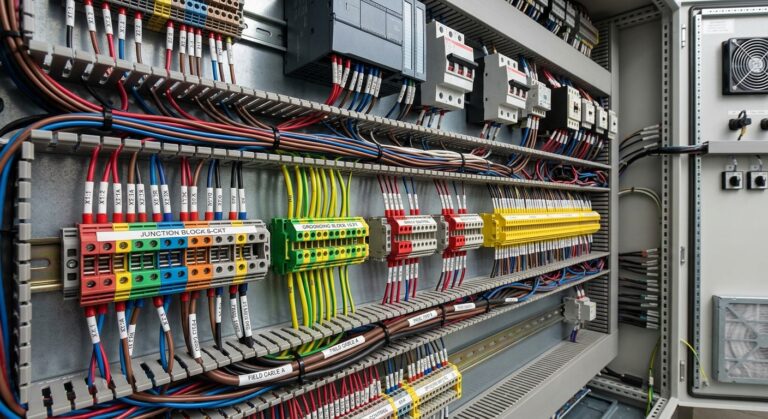
The terminal strip is where the cabinet meets the outside world. Every internal wire and every field connection passes through it, which makes it one of the most consulted parts of a project, and one of the least forgiving. An unclear or inconsistent strip does not stay a design problem: it becomes a wiring error on the shop floor, or a lost hour of troubleshooting on site, months after the panel shipped.
Managed from the schematic, not redrawn by hand
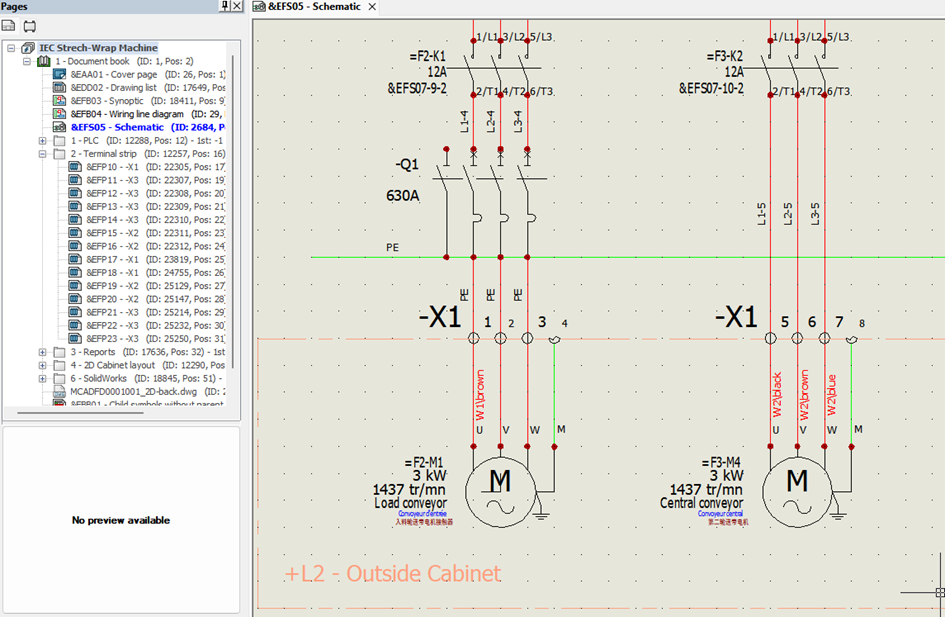
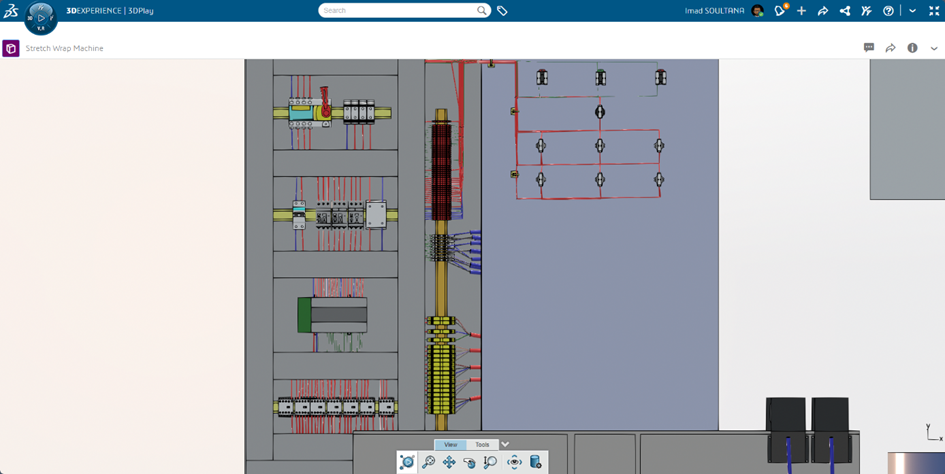
In CATIA Electrical Schematic Design, the terminal strip is not a separate drawing you maintain by hand. It is generated directly from the schematic, so it stays consistent with the bill of materials and the wiring data by construction, instead of by discipline. A dedicated editor lets you organise it the way the panel is actually built: terminal order, jumpers, accessories, cable grouping, and how it lays out on the page. When the schematic changes, the strip follows, so the drawing the assembly team relies on is never a version behind.
Distributed terminals: complexity without the clutter
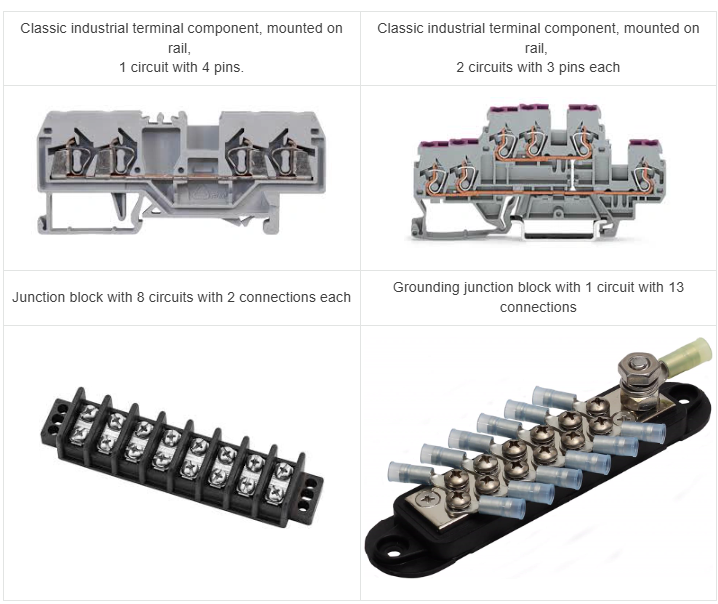
Large junction blocks and grounding terminals used to come with a constraint: every connection point of a circuit had to sit on one single symbol, however many there were. On a block with a dozen or more connections, that meant one crowded, hard-to-read symbol, whether or not the layout made sense for the page. Distributed terminals removes that constraint. Connection points can now be split across several symbols, placed wherever the design reads best, while the software keeps them as one coherent circuit underneath. The terminal strip editor follows the same logic, with a clearer, colour-coded view of every connection so a busy strip stays readable at a glance.
Why it matters, panel by panel
This concerns anyone who builds or uses control panels. Machine builders shipping packaging, filling, or handling equipment each ship a cabinet with every machine, and a clean terminal strip is what lets their assembly team wire it right the first time. Automation integrators wiring full production cells and lines are managing many panels at once, where consistency across strips is what keeps a project on schedule. Panel and switchgear shops building low-voltage distribution and control boards to order live and die by how fast and how accurately a strip can be wired and checked. Engineering teams in energy, power distribution, water, and process plants deal with long strips and high-consequence mistakes, where a misread terminal is not a minor fix. And the newer wave of energy storage, EV charging, and electrified mobility cabinets brings rising volumes where repeatable, error-proof wiring is what keeps production moving.
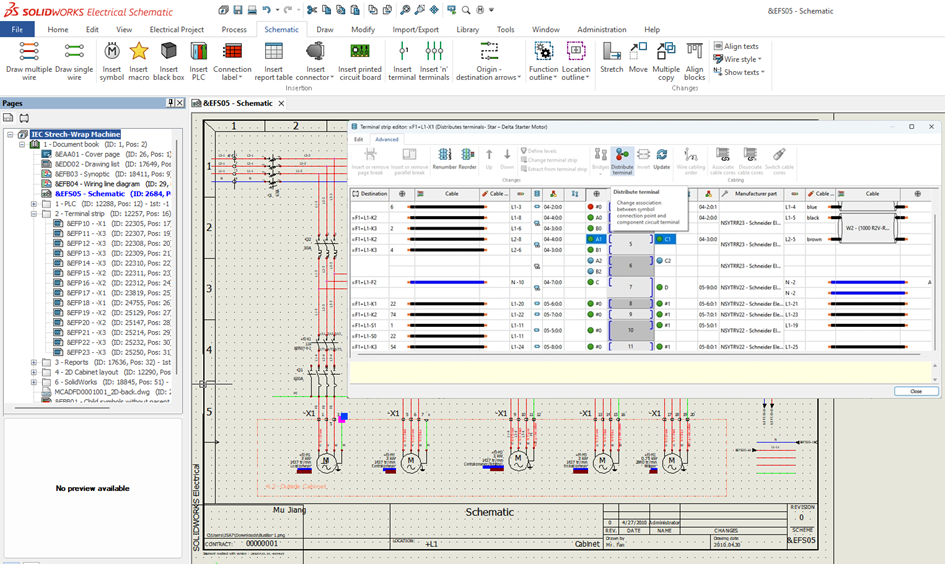
Across all of them, the same terminal strip, generated right and easy to follow, means fewer wiring errors, faster assembly, and faster troubleshooting when something needs a second look.
Conclusion
The terminal strip is a compact part of a control cabinet, but a critical one: it is where engineering information meets physical assembly. Generating it directly from the schematic keeps it consistent as the design evolves, while the dedicated editor gives a practical way to organize terminals, jumpers, accessories and cable groups.
Distributed terminals add another layer of flexibility by allowing complex connection points to be spread across multiple symbols while remaining part of the same circuit. Together, these capabilities make terminal information easier to read and easier to use on the shop floor, supporting faster assembly and troubleshooting across a wide range of control-panel applications.
FAQ
The terminal strip provides the connection point between the cabinet’s internal wiring and external field connections. Because assembly teams rely on it for wiring the panel, clarity and consistency are important.
The terminal strip is generated directly from the schematic rather than maintained as a separate drawing. This keeps it consistent with the bill of materials and wiring data, and allows it to follow schematic changes.
Distributed terminals allow connection points belonging to the same circuit to be split across several symbols. The software maintains them as one coherent circuit while allowing the symbols to be positioned where the design is easier to understand.
The editor lets users organize the terminal order, jumpers, accessories and cable grouping according to how the panel is built. It also provides a clearer view of connections, so complex terminal strips remain easier to read.
The approach applies across control-panel applications, including machine builders, automation integrators, panel and switchgear shops, and engineering teams working in areas such as energy, power distribution, water and process plants. It is also relevant to newer applications such as energy storage, EV charging and electrified mobility.

Imad Soultana is a Product Portfolio Manager who shapes the future of 2D electrical design tools. He defines product strategy and roadmap for Electrical Schematic and the Electrical Content Portal, turning customer needs and market trends into new functionalities, and he drives their go-to-market, release communications and cross-team partnerships. He holds a master’s degree in Electric Energy Systems from Université Le Havre Normandie, and his background in electrical design, R&D and embedded systems engineering gives him a practical understanding of the engineers he builds for. Outside of work, he is passionate about soccer, video games and car racing.